




5 Simple but Powerful Tricks to Stop Nighttime Social Media Scrolling


Stop nighttime social media scrolling-This problem has become a silent sleep thief for many people these days. We don’t realise when the hours pass by while scrolling “just a little more” at night. As a result, the quality of sleep is damaged, the mind is restless, and the next day, there is fatigue and lack of concentration. But the good news is, you don’t need a strict digital detox to change this habit.
This habit is not only reducing our sleep time, but also preventing the production of the melatonin hormone in our brain due to the effect of blue light or blue-light, which is directly affecting our mental health and performance. If you wake up with tired eyes every morning and can’t stop social media scrolling at night despite promising yourself every night to stop nighttime social media scrolling or stop social media scrolling at night, then today’s article is for you.
With some simple but effective changes, you can keep yourself away from your phone at night and get back to normal, deep sleep.
The Mayo Clinic says limiting screen time for sleep and turning it off before nightfall improves sleep health.
Powerful Tricks to Stop nighttime social media scrolling
‘Digital Curfew’ at a Specific Time

The most effective way to stop social media scrolling is to set a strict ‘digital curfew’ or time limit for yourself. Whenever our brain sees a notification or a new video, it releases a type of hormone called ‘dopamine’, which prompts us to scroll more. There is no alternative to a digital curfew to break this cycle.
How to make it effective?
Setting a time: Set a time to keep yourself away from all types of digital screens at least 1 hour before bed. If you plan to sleep at 11 pm, put your phone out of reach as early as 10 pm.
Declare the bedroom a ‘no phone zone’: Keep your bed reserved for sleep only. Studies have shown that when you use your phone in bed, the brain perceives the bed as a place for entertainment rather than sleep, which is one of the causes of insomnia.
Use automation: Today’s smartphones have a ‘Bedtime Mode’ or ‘Sleep Mode’ feature. If you turn it on, your screen will turn black and white at a certain time, and all notifications will be silent, reminding you that it’s time to put your phone down.
Why do this?
The main purpose of a digital curfew is to give your brain a chance to calm down. The blue light from the screen prevents your body from producing the hormone ‘Melatonin’, which is responsible for our sleep. By following this curfew, you will be able to fall into a deep sleep faster.
Charging your phone outside the bedroom
Many of us think that having your phone next to your pillow or within reach is a convenience, but this is the main incentive for scrolling at night. The habit of charging your smartphone outside the bedroom or at least away from your bed can bring a revolutionary change in your sleep habits.
Why is this such a powerful trick?
Out of sight means out of mind: When your phone is charging in another room or far away, you will not want to check it repeatedly due to laziness. It creates a physical barrier between you and your scrolling habit.
Morning freshness: We habitually check our phones as soon as we wake up in the morning. If your phone is away, you will get some time for yourself (like drinking water or stretching) instead of starting the day by scrolling.
Use an analogue alarm clock: Most people make the excuse that they keep their phone next to them because it sets an alarm on the phone. The solution to this problem is to buy a simple analogue alarm clock. This will help you wake up on time without the need for your phone.
Harvard-based research shows that taking a social media break can reduce symptoms of stress and sleep.
Blue-light filter and grayscale mode
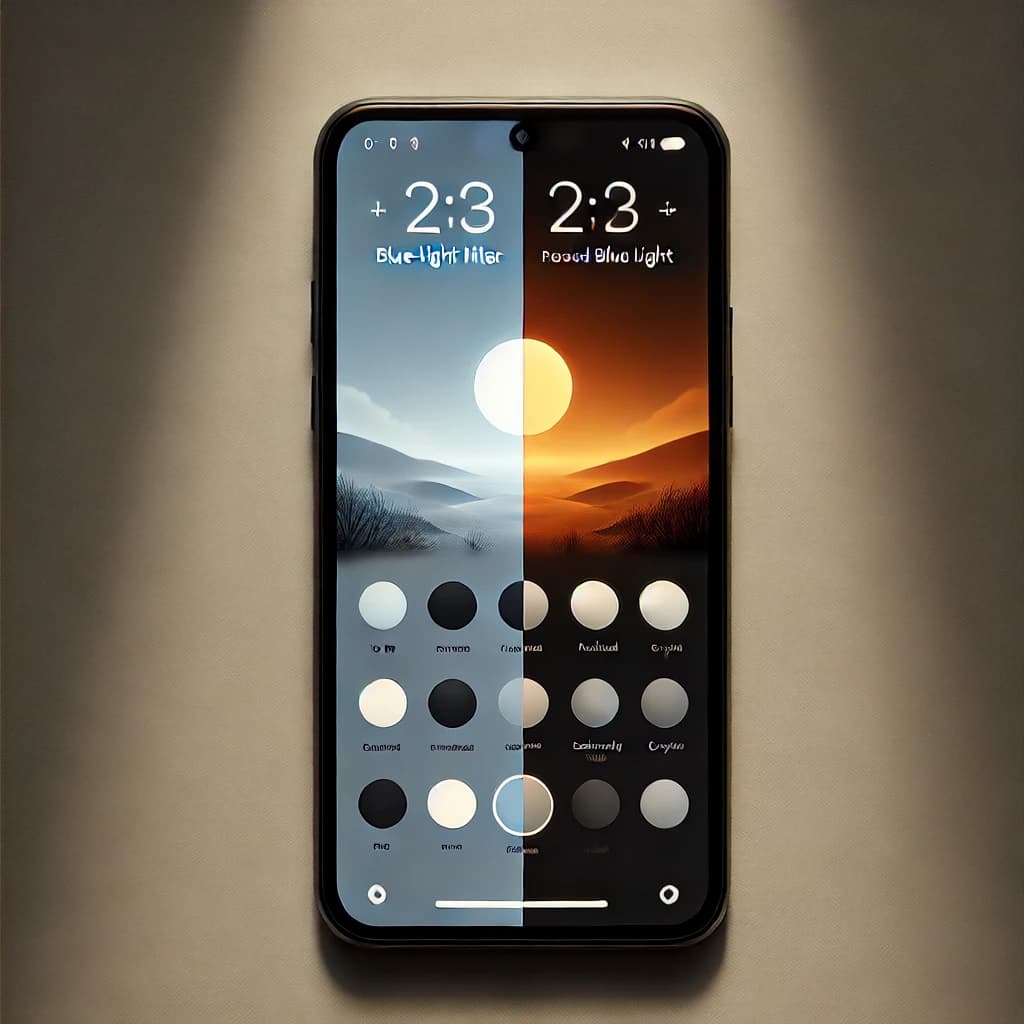
The bright, colourful display of our smartphones is designed to keep the brain stimulated. A technical but very powerful trick to reduce this attraction is to change the phone’s display settings.
What is grayscale mode, and why does it work?
Our brain is more attracted to bright and colourful things. The icons and videos of social media apps are designed in such a way that it increases our dopamine levels. If you turn on the ‘Grayscale’ mode from the phone’s settings, the entire screen will turn black and white. When colourful reels or images appear in black and white, your brain will not feel attracted to them as before, so you will want to put the phone down on its own.
Need for blue-light filter: The blue light emitted from the smartphone screen tricks our brain into thinking it is daytime. It reduces the release of the sleep hormone ‘melatonin’.
Night Shift/Eye Comfort Mode: When you turn on this mode on your phone, the screen turns a slightly yellowish colour, which is comfortable for the eyes and causes less sleep disturbance.
Automation: You can set the time for this filter and grayscale mode to turn on automatically every day after sunset.
Notification Management
Social media apps are designed to pull you back to your phone with a single ‘ting’ or notification. At night, we fall into the trap of scrolling for hours to check a simple like or comment notification. So controlling notifications means taking control of your time.
How to manage notifications?
Turn off unnecessary notifications: Go to the notification settings of apps like Facebook, Instagram, or YouTube and turn off ‘Push Notifications’. This way, your phone won’t bother you on its own; you can only access the app when you’re free and see updates.
Use ‘Do Not Disturb’ (DND) mode: Set this great feature of your smartphone to turn on at a specific time (for example, 10 PM to 7 AM). If it is turned on, the screen will not light up or make a sound, even if you receive a phone call or message, which will not disturb your concentration.
Turn off vibration: Many times, even in silent mode, the sound of the phone’s vibration wakes us up or makes us want to check our phone. So it is important to turn off vibration while sleeping.
Why is this effective?
When no notifications come to your phone, your brain will assume that there is no new information. This prevents your attention from being distracted and creates an environment for peaceful sleep at night. Remember, most notifications are not important, and there will be no harm in seeing them after a few hours.
Create a replacement habit or alternative habit

According to psychology, it is difficult to remove a bad habit from your mind unless a new good habit is replaced. If you think “I will not use my phone”, your brain will feel restless during your free time. To make this time productive, you need to create a ‘replacement habit’ or alternative habit.
Some effective alternative habits:
Reading books: Make a habit of reading real paper books, not e-books. Studies have shown that reading a book for just 6 minutes before bed reduces stress by about 68%.
Journaling or writing a diary: Write down what you did all day or what your plans are for tomorrow in a diary. This calms the brain and reduces anxiety.
Meditation or breathing exercises: Instead of using your phone, close your eyes and do deep breathing exercises for 5-10 minutes. This signals the body that it is time to sleep.
Audio books or quiet music: If you have to listen to something, you can listen to some quiet instrumental music or a podcast without turning on the screen.
FAQ
Q: Why is nighttime social media scrolling bad for sleep?
Nighttime social media scrolling exposes your eyes to blue light, which suppresses melatonin the hormone responsible for sleep. It also keeps your brain mentally active, making it harder to relax, fall asleep, and stay asleep.
Q: How does social media scrolling affect mental health at night?
Scrolling late at night can increase anxiety, stress, and overthinking. Comparing yourself to others or consuming negative content before bed overstimulates the mind and may worsen mood, sleep quality, and overall mental well-being.
Q: What are effective ways to stop scrolling before bedtime?
Set a digital curfew at least 60 minutes before sleep, enable app time limits, keep your phone out of reach, and replace scrolling with calming habits like reading, deep breathing, or light stretching to signal your body it’s time to rest.
Q: Can stopping nighttime scrolling improve productivity and health?
Yes. Reducing nighttime scrolling improves sleep quality, boosts morning energy, enhances focus, and supports better hormonal balance leading to improved physical health, mental clarity, and daily productivity.
Key takeway
Stopping scrolling through social media at night is not only important for better sleep, but also for overall mental and physical well-being. Excessive screen time before bed overstimulates our brains, which leads to poor sleep quality, fatigue and lack of focus the next day. Consciously turning off your phone after a set time, creating a peaceful routine, and prioritising your well-being these small habits can make a big difference in the long run. Start cutting down on your nighttime scrolling today, and give yourself a chance for deep sleep and mental peace.