


Protect Your Eyes and Posture: Ergonomic Tech Tips for Work and Home

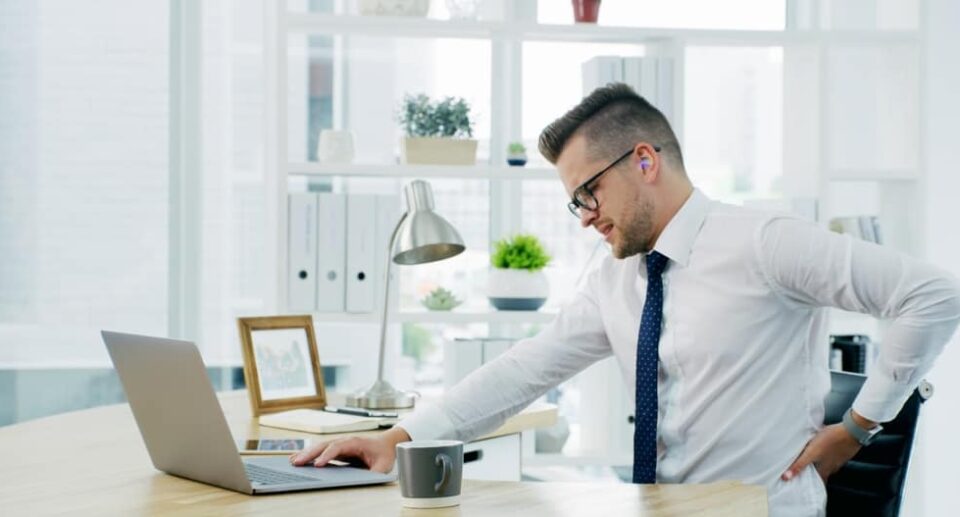
In our previous post, we discussed How Screen Time Destroys Your Sleep and What to Do About It. How excessive screen time gradually destroys our natural sleep rhythm. But the damage from screens doesn’t end there. Another silent effect of spending long hours in front of a laptop, mobile or desktop every day is on our eyes and body posture.
In today’s serial post, we will focus on Protect Your Eyes and Posture, i.e., how to reduce eye strain at work and home through proper ergonomic practices and protect yourself from neck, shoulder and back pain caused by poor posture. A few small tech setup changes, correct sitting posture and conscious habits can make your daily work more comfortable and healthy.
If you want to keep your eyes and body healthy despite using screens for long periods of time, then this guide is for you.
Protect Your Eyes and Posture to Work Smarter, Not in Pain
The 20-20-20 Rule
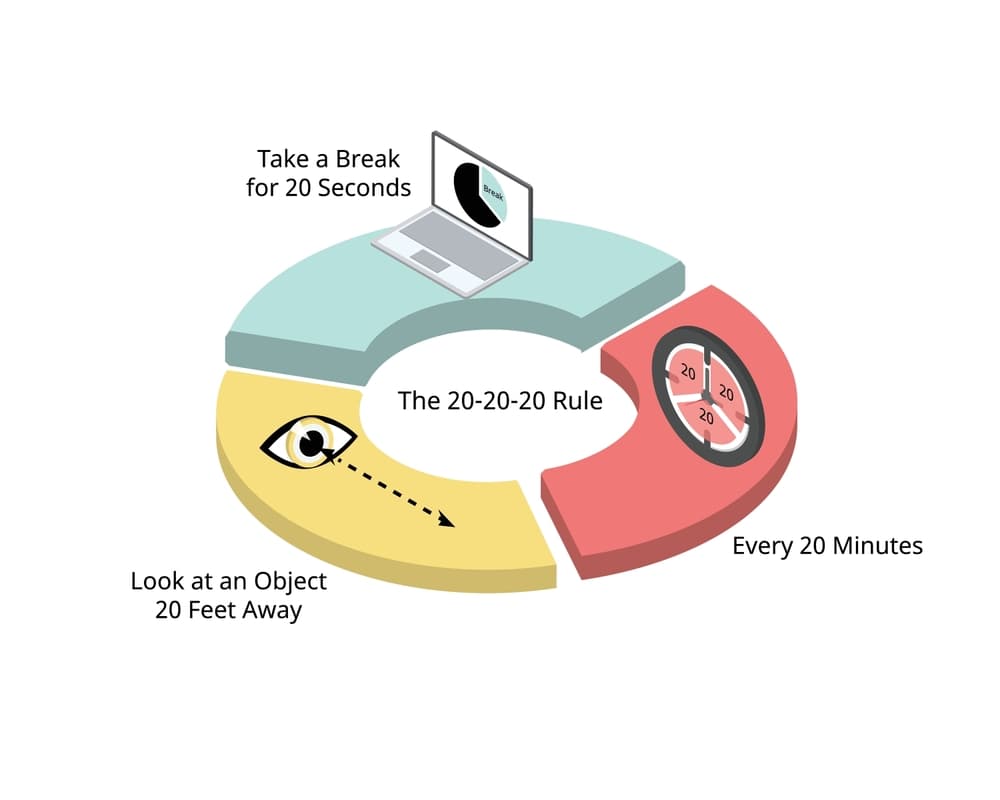
This idea was first popularized by California optometrist Dr. Jeffrey Anshel, who described it as a simple memory trick to reduce eye strain from prolonged screen use.
When we stare at the screen for a long time, our eye muscles get tired, which is called Digital Eye Strain in medical terms. Not only the eyes, but also our neck and back position get damaged due to continuous leaning towards the screen. The 20-20-20 Rule is a simple method recognized worldwide to get rid of these two types of problems and to ensure effective protection of your eyes and posture.
Every 20 minutes: Take a break every 20 minutes while working continuously.
At a distance of 20 feet: Look away from your screen and look at an object at least 20 feet away.
For 20 seconds: This break should last at least 20 seconds.
How it protects the eyes and body
Relaxes the eye muscles: When we stare at the nearby screen for a long time while working, the skeletal muscles of our eyes start to contract. Looking at a distance of 20 feet gives these muscles a chance to relax, which reduces eye fatigue.
Prevents Dry Eyes: When we look at our skin, our eye blink rate decreases. Blinking repeatedly during this 20-second interval keeps the moisture of the eyeballs in check.
Posture Reset Opportunity: This rule reminds you that you have been sitting in the same position for a long time. This break every 20 minutes allows you to straighten your neck and spine, which helps maintain proper posture.
Optimal Screen Positioning
If the work environment is not properly organised, there is a possibility of serious damage to the eyes, neck, and shoulders. Ensuring the correct position of your monitor or laptop is one of the main steps to protect your eyes and posture.
Screen height and eye level
The top of your monitor should be at or slightly below your eye level. This will prevent you from having to bend your neck too much. If you use a laptop, use a laptop stand to bring the screen parallel to your eyes. This will reduce the pressure on your neck and ensure proper posture.
Viewing distance
The screen should not be too close or too far from you. The ideal distance is the distance between your fingers and the screen when you stretch your hand (about 20 to 30 inches). If the screen is too close, it puts pressure on your eyes, and if it is too far, you lean forward to read, which ruins your posture or physical structure.
Correct angle
Tilt the monitor back 10 to 20 degrees. This will help you see the screen more clearly and will protect your eyes by reducing reflections or glare.
Preventing light reflection
Place the screen in a place where the light from windows or lights does not fall directly on the screen-direct reflection of light increases eye fatigue or eye strain. If necessary, you can use an anti-glare screen protector.
Font size and brightness
Not only the physical position, but also the settings inside the screen are important. Keep the font size such that you do not have to lean towards the screen. Also, adjust the screen brightness according to the lighting in your room.
Remember: If your screen position is not correct, no matter how expensive a chair you buy, your back and neck pain will not go away. So check the height of your monitor today.
The “L” Shape Rule for Posture
Working at a desk for long periods of time without knowing how to sit properly can wreak havoc on your spine. Following the “L” Shape Rule is the most effective way to keep your body in proper alignment while working on a computer or laptop. It will relieve you from back pain and help protect your eyes and posture.
3 main steps of the “L” Shape Rule:
This rule works on three specific joints in your body:
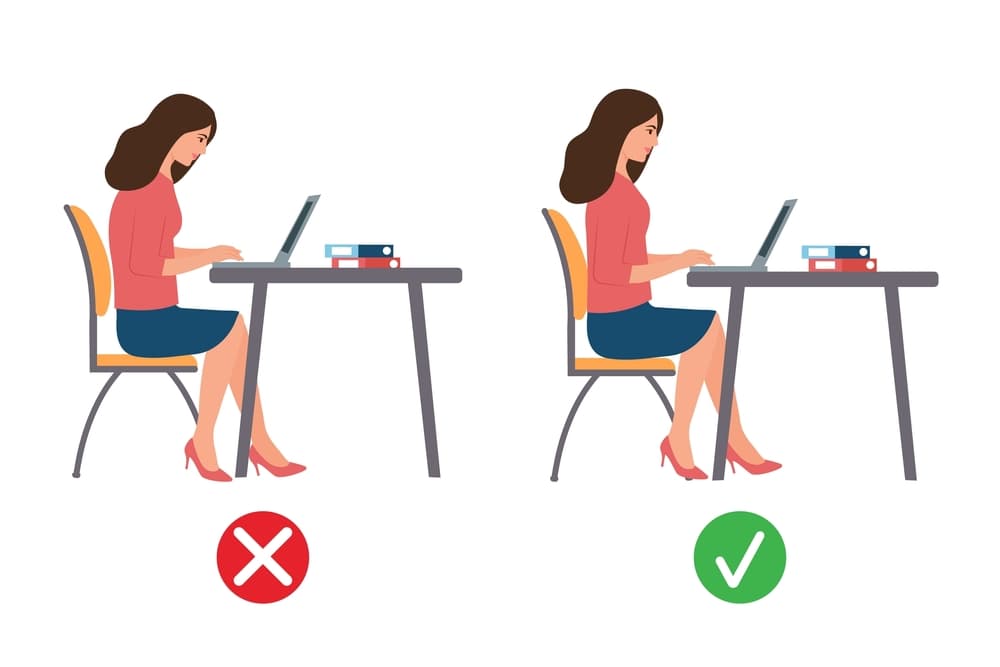
Elbow: While typing, your elbow should be right next to your body and bent in such a way that it forms a 90-degree or ‘L’ shape. Do not extend your arms too far forward while using the keyboard or mouse.
Waist and Back: While sitting in a chair, your waist and lower spine will be pressed against the chair. Your back and thighs will form an ‘L’ shape. This reduces excess pressure on the spine.
Knees: Your knees and lower legs should also be at a 90-degree or ‘L’ angle. Keeping your legs hanging or crossed restricts your blood circulation.
Tips to maintain this rule:
Use an ergonomic chair: Choose a chair that supports the natural curve of your spine (Lumbar Support). If the chair does not have support, use a small cushion or pillow.
Foot position: Your feet should be placed evenly on the floor. If your chair is too high and your feet do not reach the floor, use a footrest. This will help reduce pressure on your waist and maintain proper posture.
Armrest height: Place the armrest of your chair at a height where your shoulders are relaxed, and your hands can reach the keyboard in an ‘L’ shape.
Lighting and Glare
We often forget how the light around us affects our work. Incorrect lighting or glare on the screen not only damages the eyes, but it also ruins our sitting posture or posture. Therefore, it is essential to adjust the lighting in your room to ensure that you protect your eyes and posture.
Why does lighting affect your posture?
When there is excess light reflected on the screen or the room is too dim, we unconsciously lean towards the screen or tilt our head to one side to see clearly. This slight tilt can start long-term neck and shoulder pain.
How to control proper lighting and glare:
Light source and position: Place your computer monitor in such a way that a window or large light is not directly in front of you or right behind you. Ideally, the window light should be side-on to your screen. This reduces direct reflections on the screen.
Anti-glare filter: If it is difficult to control the light reflection in your room, use an Anti-glare screen protector. This protects the eyes from excessive stress and ensures that they are protected.
Ambient lighting: The light in your room should not be too bright or too dark compared to the brightness of the computer. In pitch darkness, just the shining light of the monitor is very harmful to the eyes.
Blue-light management: If you work on the computer or phone after dusk, turn on ‘Night Mode’ or ‘Blue Light Filter’. This reduces eye strain and helps you sleep better at night.
Use of lamps: If you use a lamp on your desk, make sure that the light from the lamp does not fall directly into your eyes, but rather on your desk or documents.
A quick check to reduce glare:
Look at the screen with your monitor turned off. Can you clearly see the reflection of your face or the window behind you on the screen? If the answer is ‘yes’, then you need to change the position of your screen.
Pro-tip: Take breaks from work by closing your eyes or looking out the window at the natural light. This is great for relaxing your eye muscles.
Standing Desks & Movement
The human body is not designed to sit still for long periods of time. No matter how well you sit, if you do not move for a long time, your muscles become stiff, and blood circulation is disrupted. Therefore, it is essential to add movement to your work routine to achieve the goal of protecting your eyes and posture.
Standing Desk: Why is it popular?
Currently, standing desks have become known as a revolutionary solution. It relieves you from the fatigue of sitting.
Balance: Working standing occasionally instead of sitting all the time reduces the pressure on the spine.
Calorie Burn: Working standing keeps the body more active than sitting, which helps keep your metabolism in check.
Tip: If you use a standing desk, make sure that your monitor is still at eye level and that your elbows are in an ‘L’ shape.
Why is movement important?
Even while sitting at your desk, you can keep your body alert through some small movements:
1. Micro-breaks every 30 minutes: Stand or walk for at least 2 minutes every half hour. This eliminates “Posture Fatigue” or posture-related fatigue in your body.
2. Desk Stretching: While sitting, do light exercises like rotating your neck left and right, rolling your shoulders back, and stretching your wrists.
3. Walk and Call: When you receive a phone call, stand or walk while talking instead of sitting. This will keep your leg and waist muscles active.
4. Water Breaks: Drink enough water. This will keep your body hydrated, and you will have to get up from your desk repeatedly to drink water, which will indirectly increase your movement.
Ergonomic Accessories
Apart from forming good habits, some modern tools or accessories can completely change your work experience. These tools are mainly designed to keep your body in a natural position and reduce strain on your eyes. To ensure your eyes and posture are protected, you can put the following accessories on your list:
External keyboard and mouse
If you use a laptop, it is most important to buy a separate keyboard and mouse. Using the laptop’s built-in keyboard causes strain on your hands and shoulders. Using an external keyboard, you can place the computer on a stand, take it to eye level and keep your hands in a comfortable “L” shape.
Laptop or monitor stand
If the monitor is too low, you have to look down to work, which is a major cause of neck pain. Use a stand to bring the screen parallel to your eyes. This will work like magic to keep your posture correct.
Ergonomic chair
The main feature of a good chair is its Lumbar Support or lower back support. Choose a chair that can be adjusted in height and whose backrest maintains the natural curve of your spine.
Blue-light blocking glasses
Digital eye strain occurs when you stare at a screen for a long time. Blue-light filter glasses protect your eyes from harmful blue light. This helps to ensure that your sleep cycle is correct and protects your eyes, especially when working at night.
Footrest
If your chair is too high and your feet do not reach the floor evenly, use a footrest. This reduces pressure on your lower back and keeps blood circulation normal.
Wrist rest
You can use a gel or foam wrist rest to provide support under your wrist while using the mouse and keyboard. This prevents carpal tunnel syndrome or wrist pain.
Investment when in health: Think of these tools as a long-term investment in your health rather than just an expense. A proper ergonomic setup can increase your work productivity several times.
FAQ
Q: Why is it important to protect your eyes and posture during screen time?
Protecting your eyes and posture helps prevent eye strain, headaches, neck pain, and back problems caused by long hours of screen use. Good ergonomic habits improve comfort, productivity, and long-term health.
Q: How can I protect my eyes and posture while working from home?
You can protect your eyes and posture by keeping your screen at eye level, sitting with a straight back, using proper chair support, following the 20-20-20 rule, and taking regular movement breaks throughout the day.
Q: What are the signs that I need to protect my eyes and posture better?
Key Takeway
Common signs include dry or tired eyes, blurred vision, frequent headaches, stiff neck, shoulder pain, and lower back discomfort. These symptoms indicate poor posture or excessive screen strain.
In today’s digital world, it’s almost impossible to avoid screens. But with conscious ergonomic habits, we can easily Protect Your Eyes and Posture. Proper sitting posture, regular eye rests, and small changes to our tech setup-all of these go a long way toward reducing eye strain and body pain in the long run.
Remember, healthy eyes and good posture aren’t just about comfort-they also improve your work speed, focus, and quality of life. If you change a few habits today, you’ll see the benefits in the future.
👉 And if you’re wondering if there’s a way to completely step away from screens and reset yourself mentally and physically, then our next post, “Digital Sabbath: How One Screen-Free Day a Week Can Reset Your Life,” is for you. There, we’ll learn how being screen-free for just one day a week can make a profound difference in your lifestyle.